Build your first bio page in 5 minutes
Create a page, pick a template, add your links and share it.
In your dashboard, click New link and choose Bio page, or go to Bio pages in the sidebar and click Biolink page.
Choose your page address, for example bioandlink.app/yourname. This is the link you will share.
Pick a template to start from, or start blank. You can change it later without losing anything.
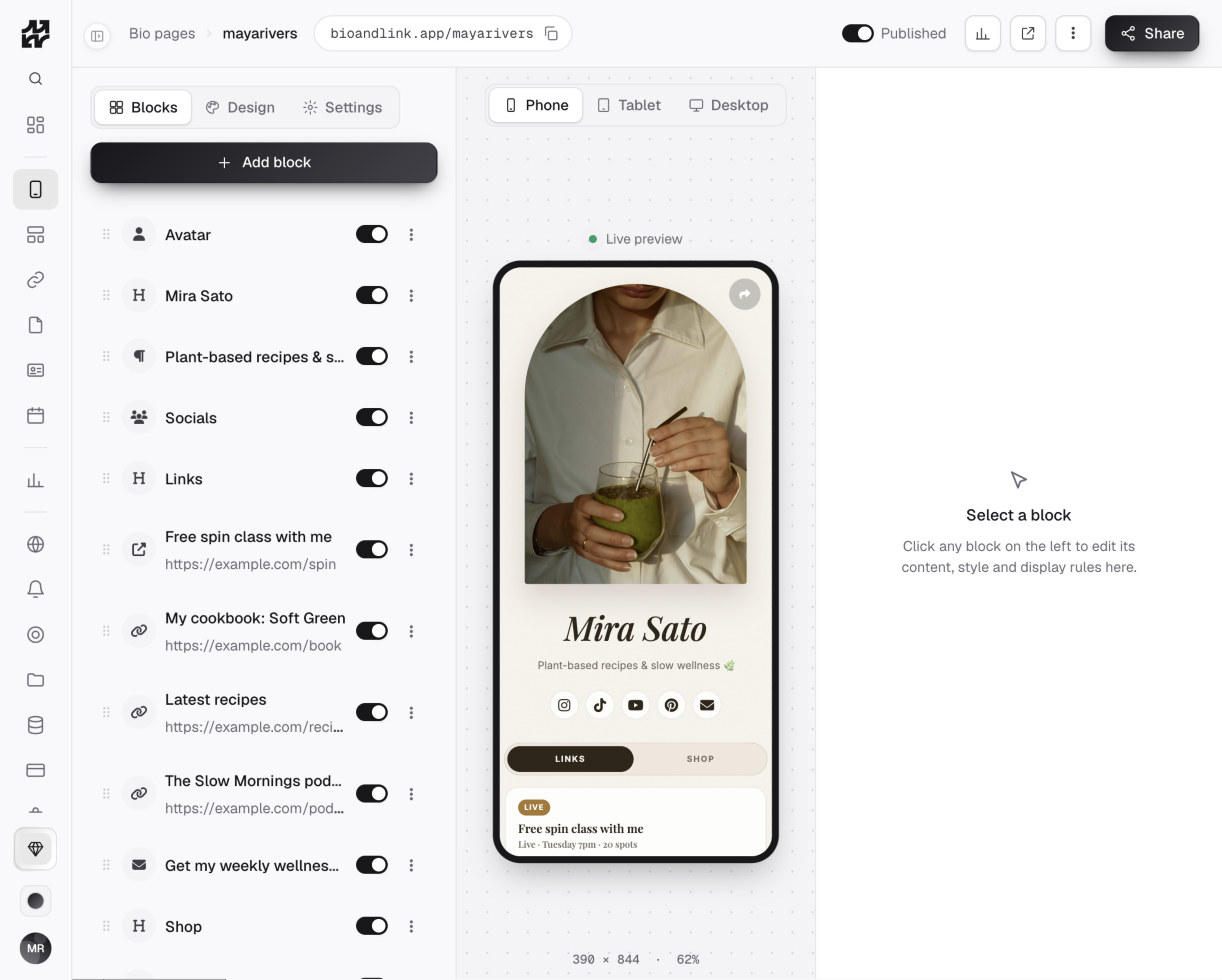
Add your photo and name with the Avatar and Heading blocks, and a short description with Paragraph.
Click Add block and add your links. Use Link for a simple button, or Socials for a row of social icons.
Drag blocks to change their order. The preview next to them shows exactly how your page looks on a phone.
Click Update to save. Your page is live straight away.
Share it
Copy your page address and paste it into your Instagram, TikTok, YouTube or X profile. See Add your page to your social profiles.
Tip: Keep the most important link at the top. Most visitors tap one of the first three buttons.