Getting started
Set up your page in about five minutes. Every step, with pictures of exactly what to click.
1Step 1 of 6 · 1 min
Create your free account
Sign up with your email or the account you already use. The Free plan needs no card.
- 1Go to the sign-up page.
- 2Choose email and password, or Google, Apple, X, Facebook, GitHub, Discord, LinkedIn or Microsoft.
- 3If we email you a confirmation link, open it to activate your account.
- 4Answer three quick questions: your name, what describes you and your main goal.
TipSign in the same way every time. If you signed up with Google, log in with Google.
2Step 2 of 6 · 30 sec
Create your bio page
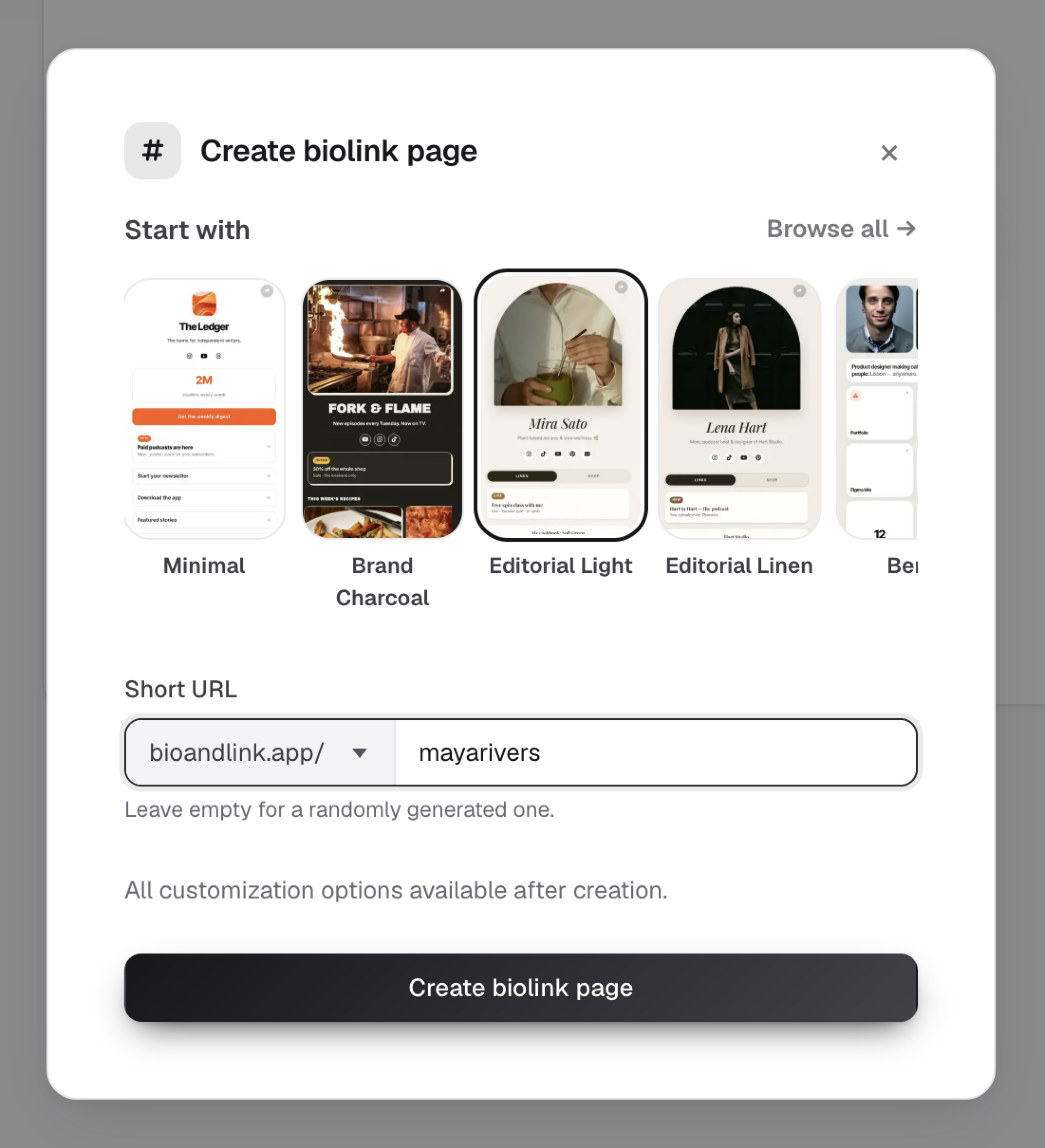
Go to Bio pages and click New bio page. Choose how to start, then pick the address you’ll put in your bio.
- 1Pick a template to start from, or Blank.
- 2Type your address, like mayarivers for bioandlink.app/mayarivers.
- 3Click Create biolink page. The editor opens.
TipAddresses can use letters, numbers, dashes and underscores. On Pro and up, choose your own domain from the list instead.
3Step 3 of 6 · 1 min
Pick a look
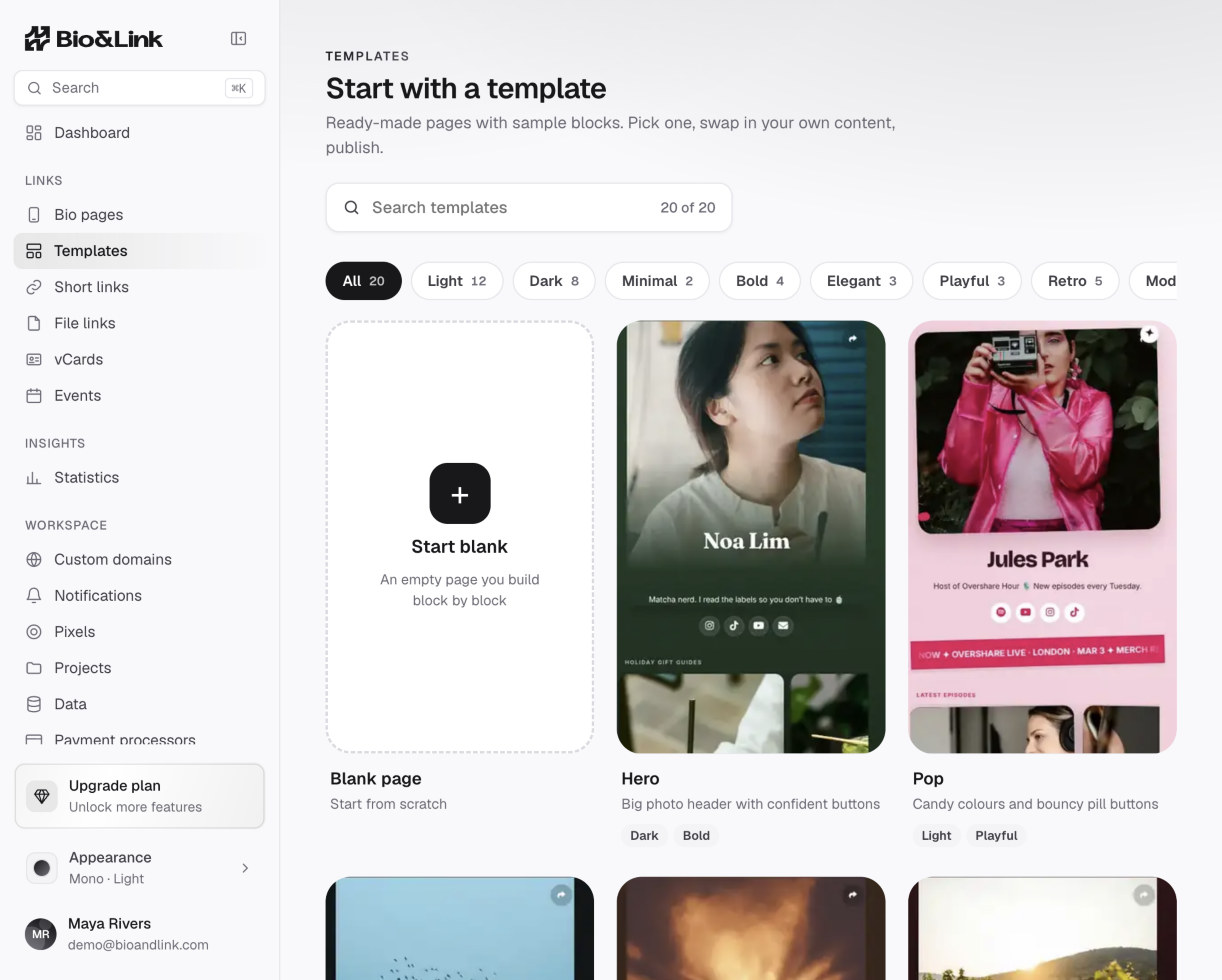
Templates are finished pages with sample blocks. Use one to start, or apply its look to a page you’ve already built.
- 1Open Templates in the sidebar and search, or filter by style.
- 2Start blank if you’d rather build block by block.
- 3Or open a template to preview it, then use it. Swap in your own photos, text and links.
TipSwitching template later keeps your blocks and links. Only the design changes. Fine-tune colours, fonts and background in the Design tab.
4Step 4 of 6 · 2 min
Add your links and blocks
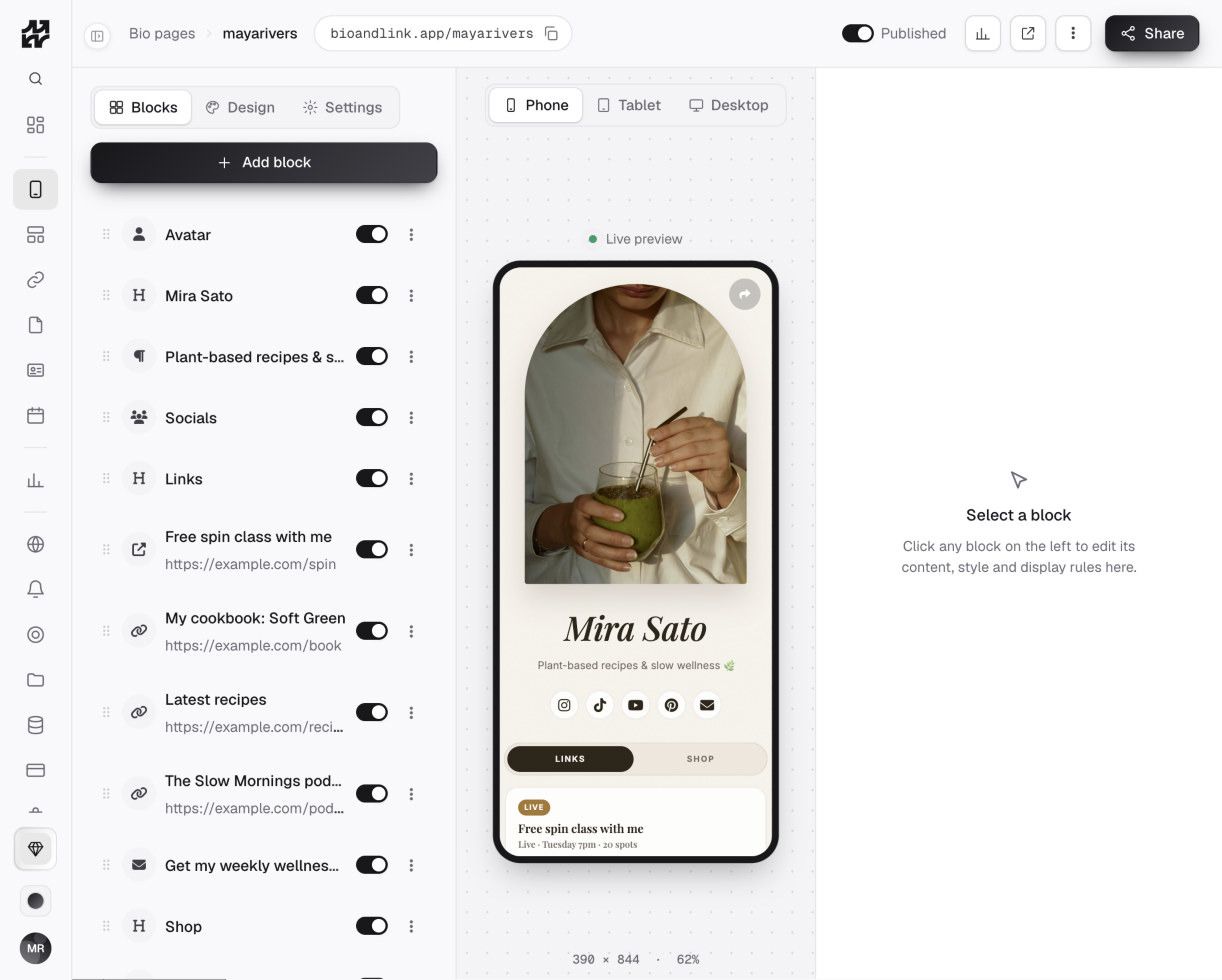
Everything on your page is a block: a link, a heading, your socials, a video, a form or a product.
- 1Click Add block, search or pick a category, and choose a block.
- 2Drag blocks by their handle to change the order.
- 3Use the switch to hide a block without deleting it.
- 4Check the live preview at phone, tablet or desktop size.
- 5When it looks right, make sure Published is on, then Share.
TipStart small: your photo, a one-line bio, your social icons and your three most important links. Add more any time.
6Step 6 of 6 · Any time
Track and grow
See who visits, where they come from and what they tap, then keep improving.
- 1Open Statistics for clicks, visitors, countries, devices and referrers.
- 2See which blocks on your page get the most taps.
- 3Add short links for campaigns and connect your ad pixels.
- 4Set up notifications for new form replies and sales.
You’re live.
That’s it. Your page is up, it’s in your bio, and you can watch the clicks come in.
- Create your free account
- Create your bio page
- Pick a look
- Add your links and blocks
- Put it in your bio
- Track and grow
Your page could be live in five minutes.
Start free. Upgrade when you want your own domain, no branding or a way to sell.